

Knowledge Base
Knowledge Base
Section titled “Knowledge Base”Enhance AI agent with a knowledge base using URLs, documents, and custom text for better responses.
Overview
Section titled “Overview”Knowledge base are a collection of sources of information that your agent can access to retrieve relevant information during the call, that can provide additional context to the conversation
Supported sources:
- Website content (via URLs)
- Documents
- Supported formats: .bmp, .csv, .doc, .docx, .eml, .epub, .heic, .html, .jpeg, .png, .md, .msg, .odt, .org, .p7s, .pdf, .png, .ppt, .pptx, .rst, .rtf, .tiff, .txt, .tsv, .xls, .xlsx, .xml
- Custom text snippets
Each knowledge base has the following limits:
- Maximum 25 files, 50 MB each
How it works
Section titled “How it works”You can create knowledge bases, and link them to your agents. When a knowledge base is linked to an agent, the agent will always try to retrieve information from the knowledge base before responding. There’s no need to change your prompt for it to trigger, as it will be done automatically, for every response generation.
During the call, when the agent is about to respond, it will use the transcript so far (prompt is not included) to find the most relevant chunks from the knowledge base, and feed them to the LLM as context.
How to add a knowledge base
Section titled “How to add a knowledge base”- Log in to Admin Portal
- Navigate to Rocket AI Agent > Knowledge Base
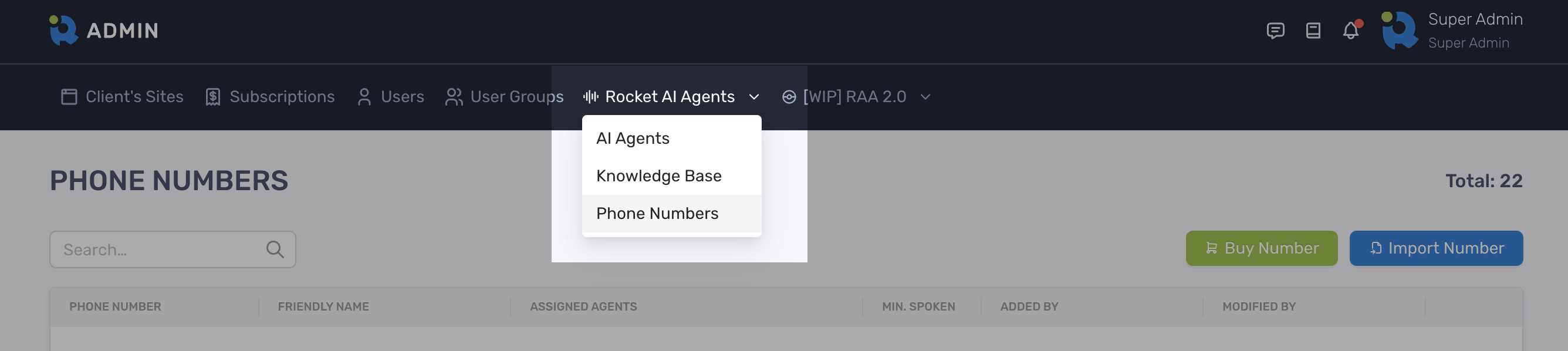
- Click the Create Knowledge Base button on the top right corner
- Choose from three types of knowledge sources:
- Websites: Import content from web pages
- Supports single pages or entire websites
- Automatically updates when content changes
- File: Upload documents
- Supported formats: PDF, TXT, DOCX, etc.
- Maximum 25 files, 50 MB each
- Text: Add custom content
- Paste or type direct information
- Ideal for specific instructions or data
- Websites: Import content from web pages
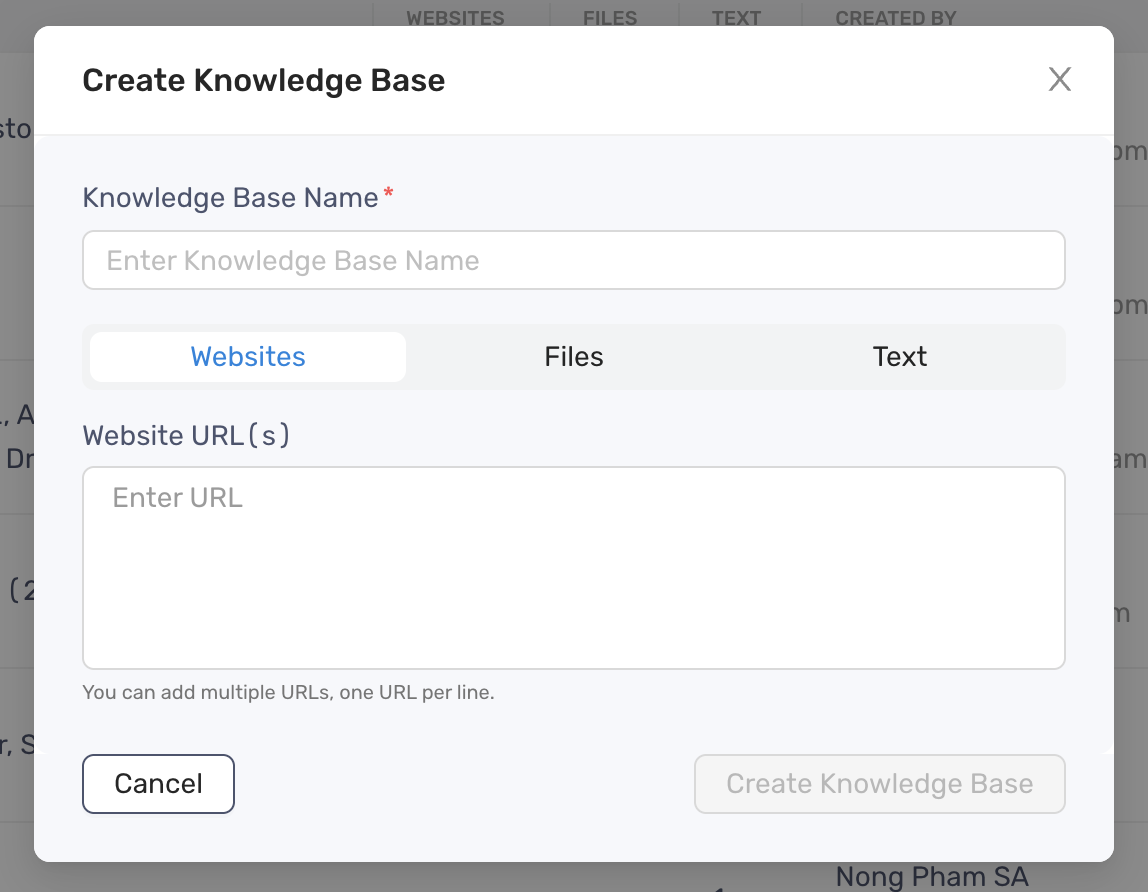
- Click the Create Knowledge Base button to finish