

Transfer Call
It is common in call operation to transfer the call to another human agent or another AI agent.
- On the Agent Edit screen, navigate the Actions section on the right-hand side
- Select the Transfer Call from the Action dropdown button
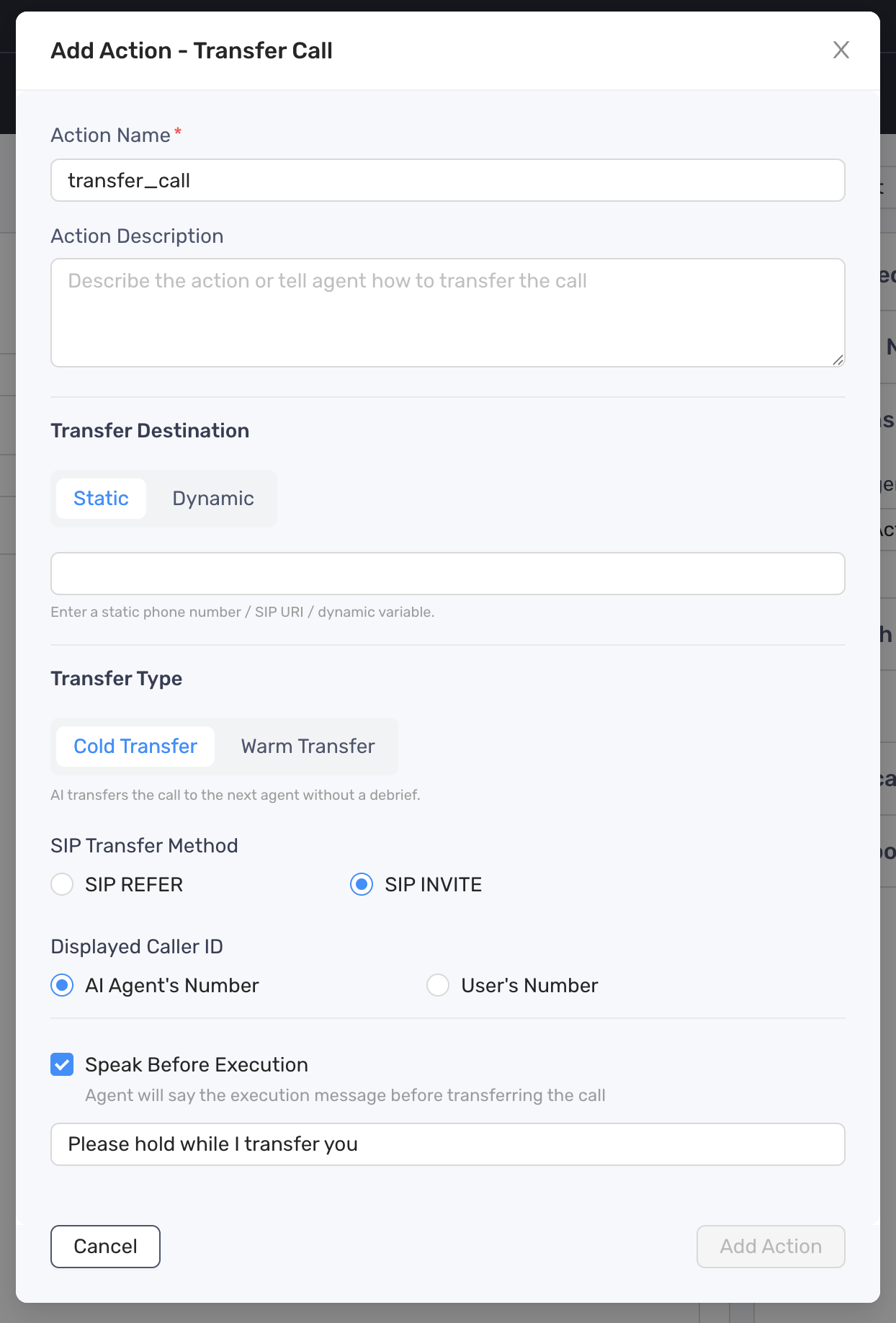
- Set the Transfer Destination:
- Static: a number in e.164 format, or SIP URI in the format of sip:username@domain, or dynamic variables
- Dynamic: a prompt to instruct agent who to transfer to
- Set the Transfer Type:
- Cold Transfer: The call is transferred to a destination number and that’s it.
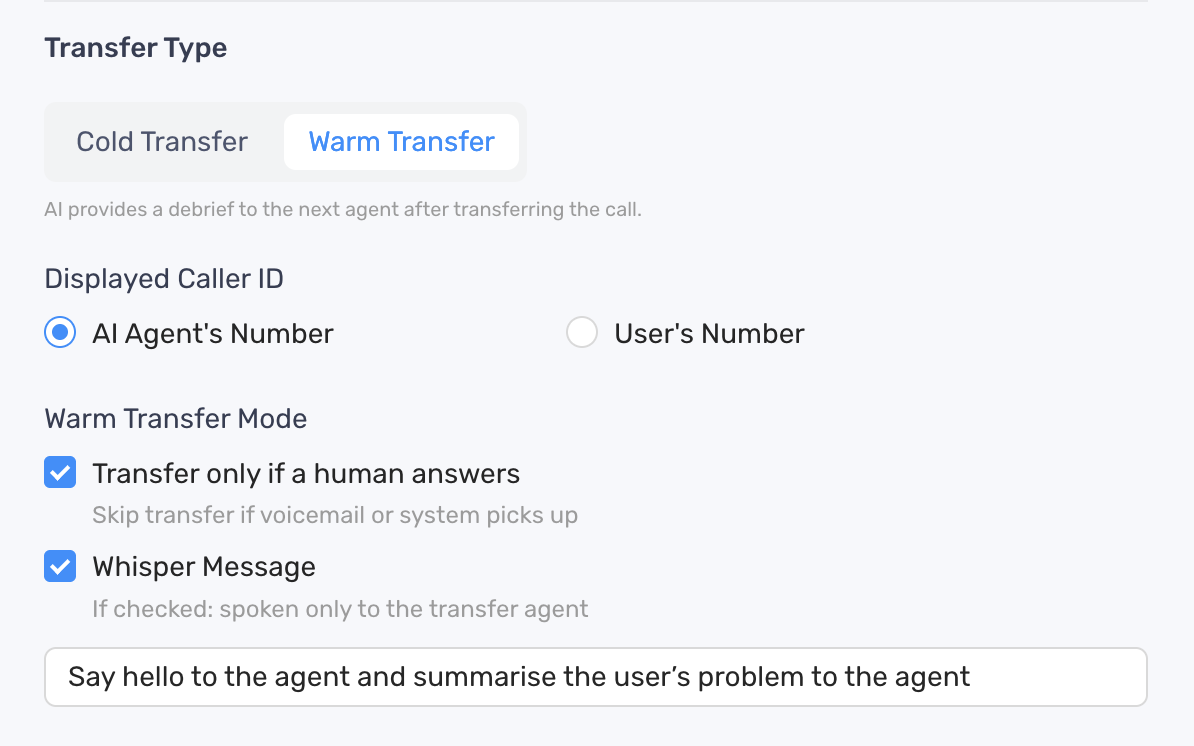
- Hot Transfer: After the call is transferred to the destination number, the AI agent can attempt to detect if the other side is human, leave private messages that are not heard by user, do a three-way introduce, etc.
- For warm transfers, you can configure the following settings:
- Click Add Action button to finish
- Update the prompt to include a specific instruction when or how the agent should take the action