

End Call
By default, the agent won’t end the call automatically. You’ll need to configure when and how the call should be terminated using the end call tool.
- On the Agent Edit screen, navigate the Actions section on the right-hand side
- Select the End Call from the Action dropdown button
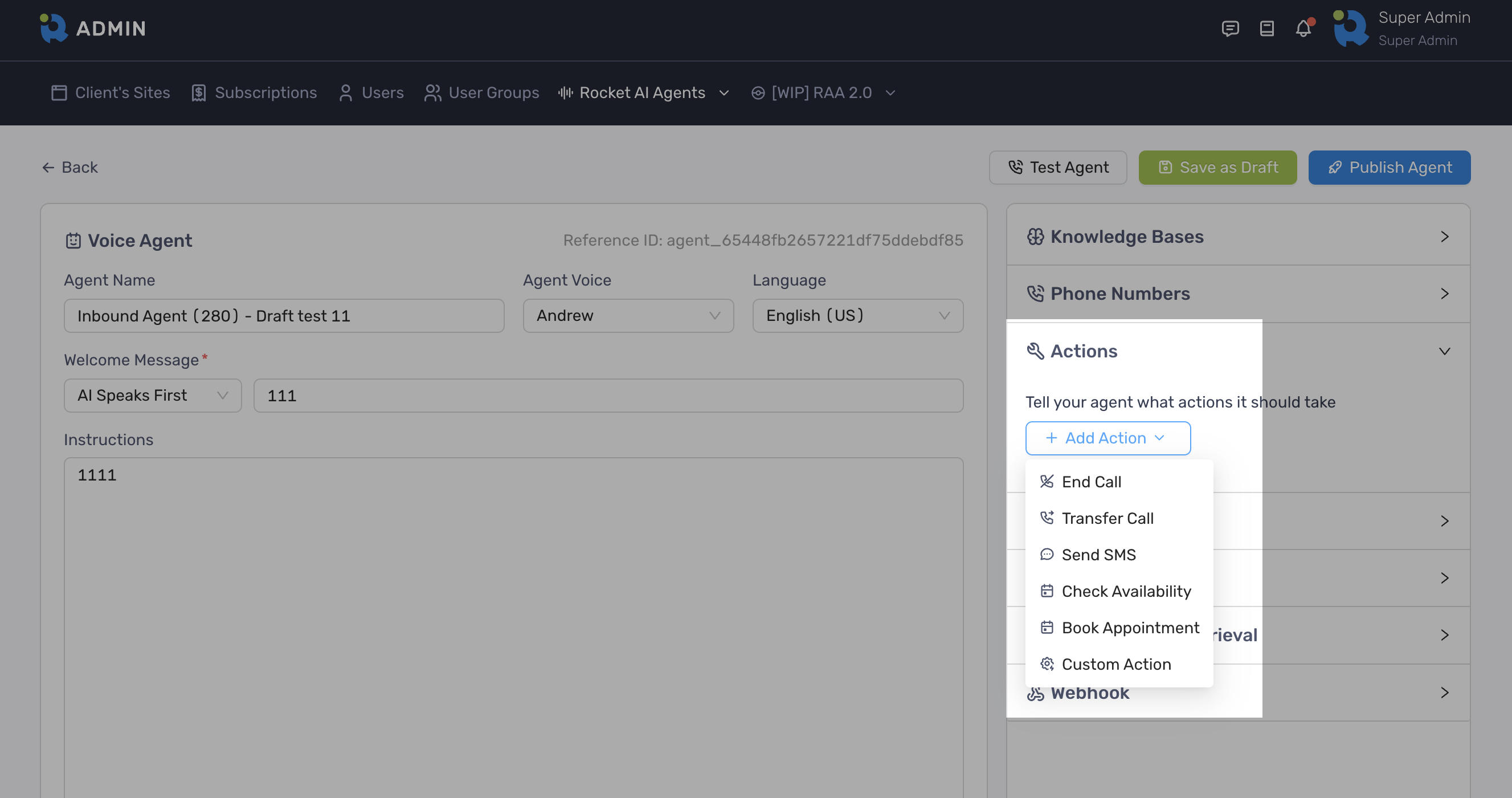
- Define the Action Description
- Click Add Action button to finish
- Update the prompt to include a specific instruction when or how the agent should take the action