

Custom Action
Custom functions allow you to extend your agent’s capabilities by integrating external APIs, providing additional knowledge, or implementing custom logic.
When a custom function is called, RocketLevel sends a request (POST, GET, PUT, PATCH, DELETE) to your specified URL with the function name and parameters. You can include headers and query parameters in the request, and extract data from the response.
- On the Agent Edit screen, navigate the Actions section on the right-hand side
- Select the Custom Action from the Action dropdown button
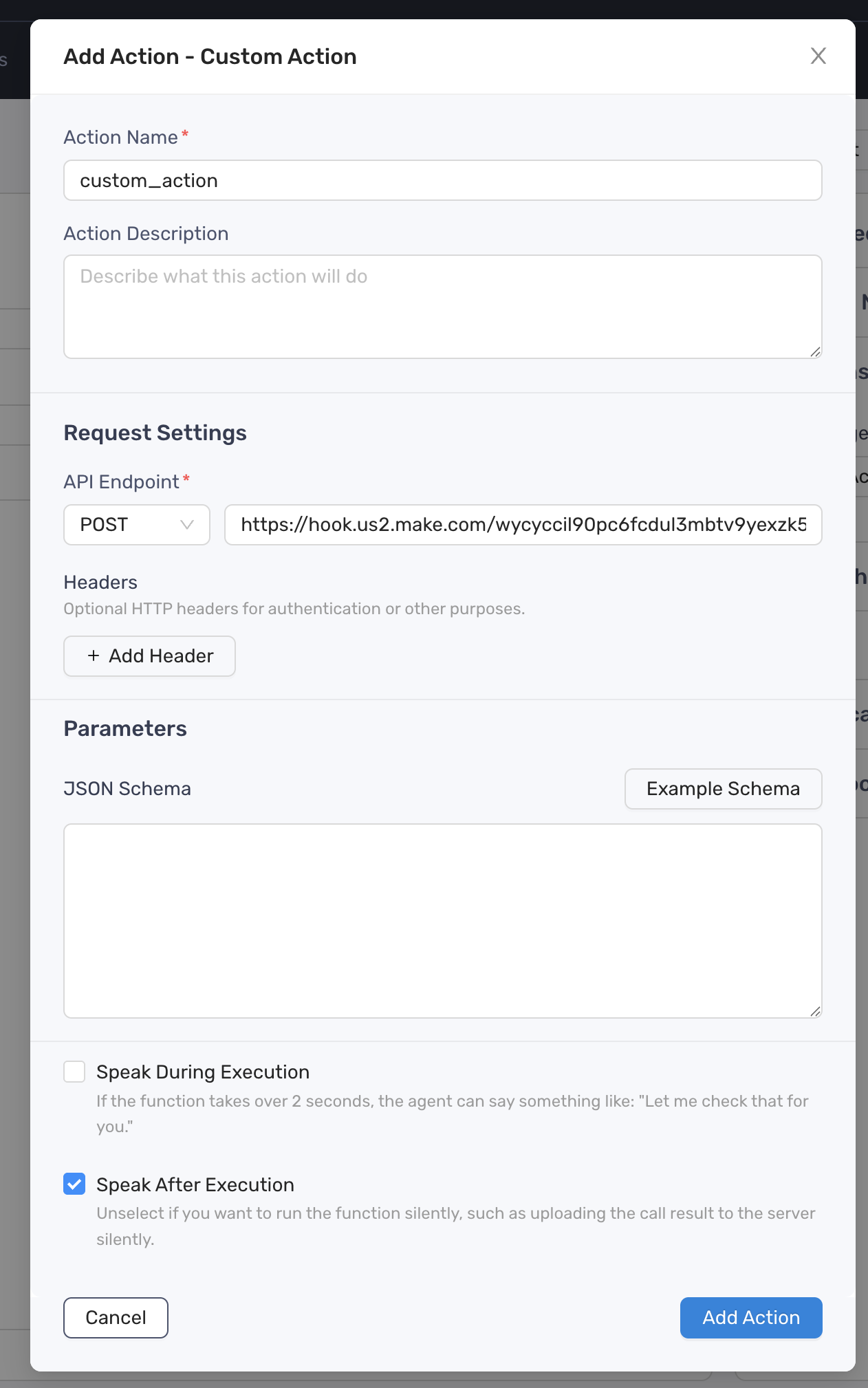
- Define the Action Description
- Choose the HTTP method that RocketLevel will use to send the request to your endpoint
- Add the URL where RocketLevel will send the request to execute your custom function
- Optionally add and define custom headers to include with the request RocketLevel sends to your endpoint. Header values can be static or include dynamic variables.
- Define the parameters for the custom function using JSON schema format
- Only available for POST, PATCH and PUT requests
- Click Add Action button to finish
- Update the prompt to include a specific instruction when or how the agent should take the action