

Building Voice Agent
Get Started
Section titled “Get Started”- Log in to Admin Portal
- Go to Rocket AI Agent > AI Agents
- Click the Add New Agent dropdown button
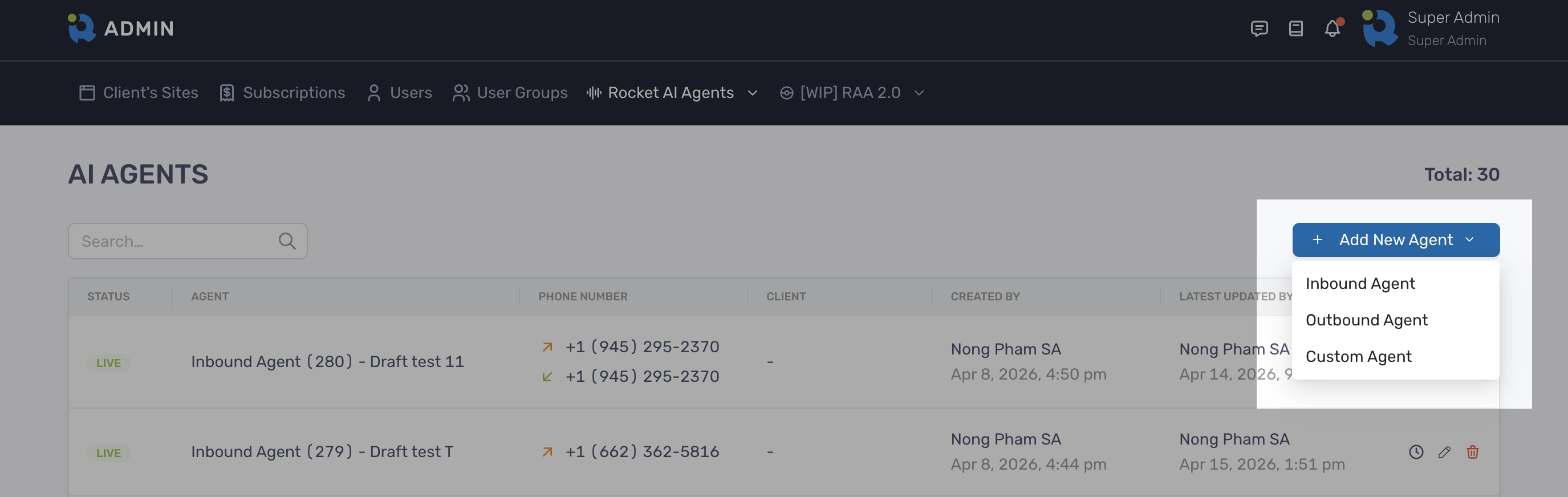
- Select one of the options:
- Inbound Agent: the prompt will be pre-filled with template specifically for inbound
- Outbound Agent: the prompt will be pre-filled with template specifically for outbound
- Custom Agent: the prompt will be blank
- Start building your agent on the Agent Setup screen
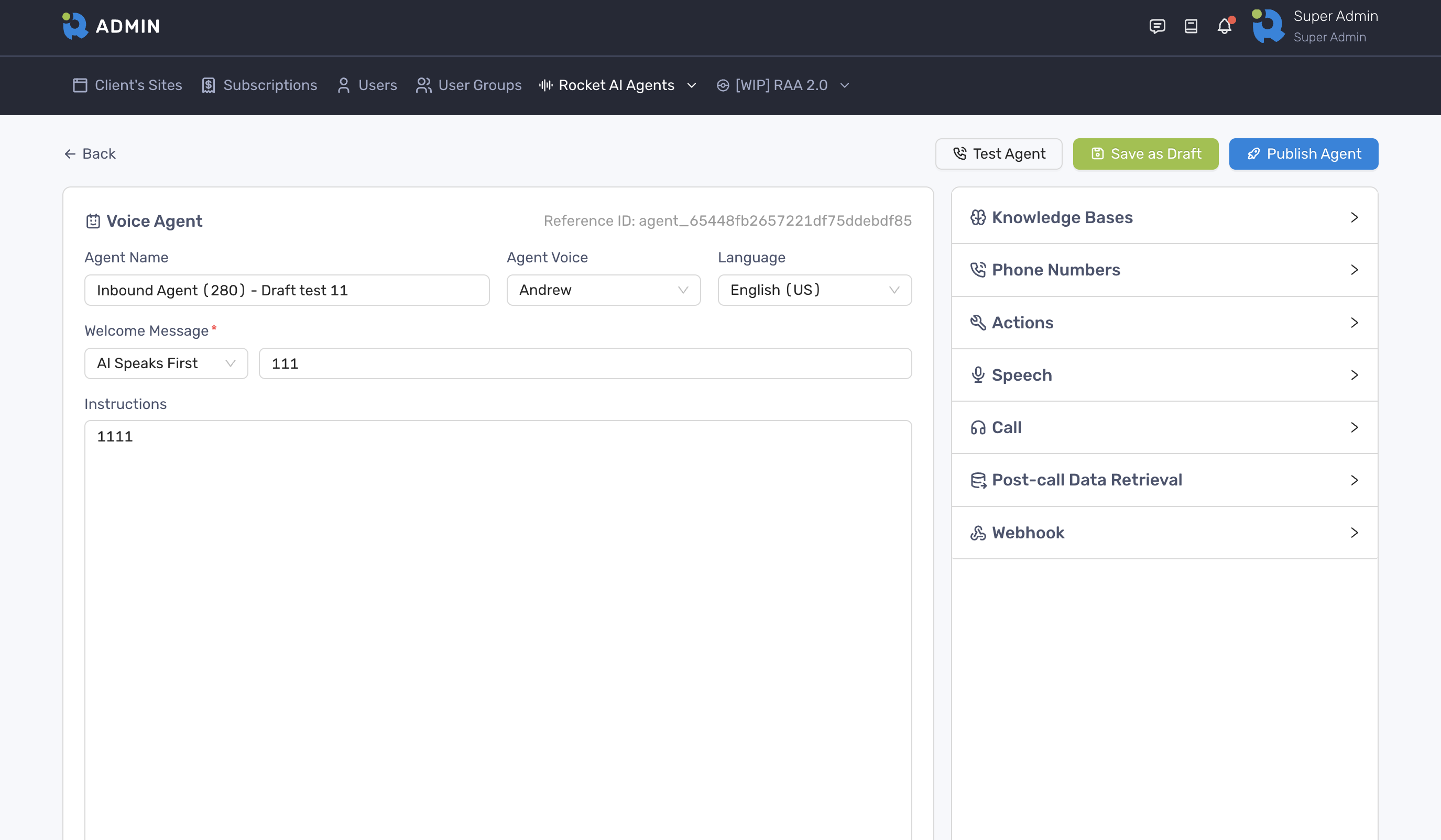
- Click Publish Agent button if you want it to go live immediately
- Alternately, click Save As Draft button if you want to make further changes to it before launching it
Test the agent
Section titled “Test the agent”- On the Agent Setup screen, make sure to click Save As Draft or Publish Agent so the agent is the latest
- Click Test Agent button to test your agent
If the agent has already been linked to a client, the test call will be logged and displayed on client’s dashboard