

Adding Team Member
Get your dream team on board to help you manage social accounts, and achieve all social media engagement goals together.
Add a new team member
Section titled “Add a new team member”- Navigate to the User Profile dropdown menu on the top left corner and select General Settings
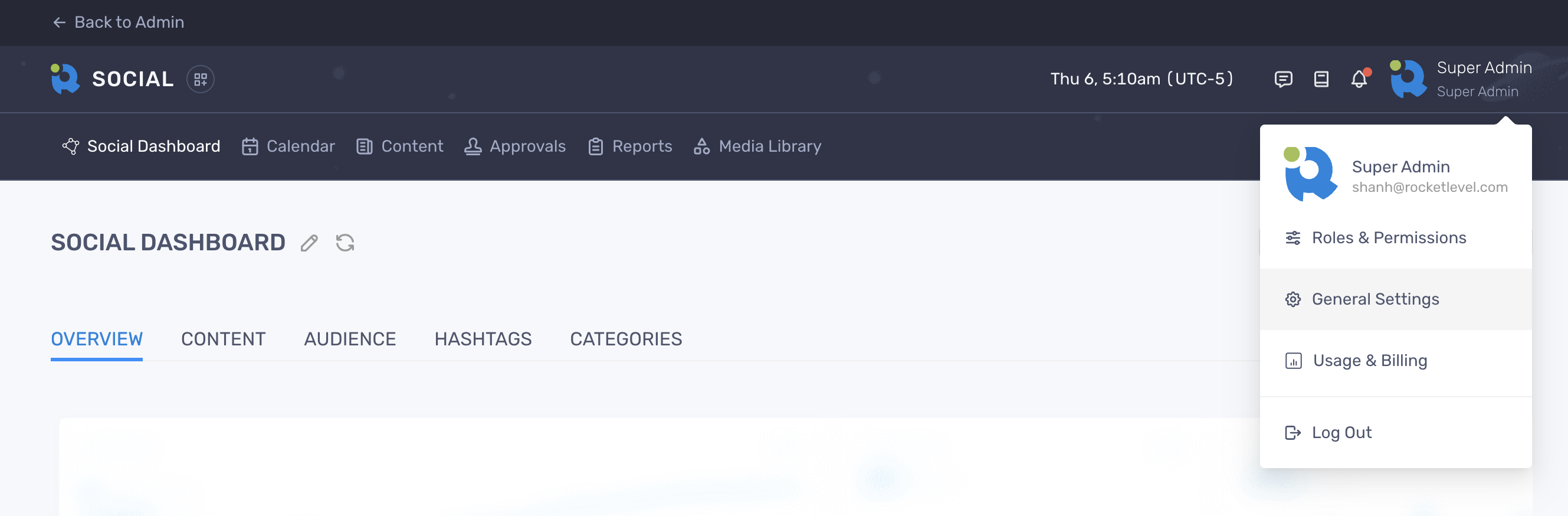
- Select Team on the sidebar menu
- Click “Add User”
- Enter the new member’s first name, last name and email addres
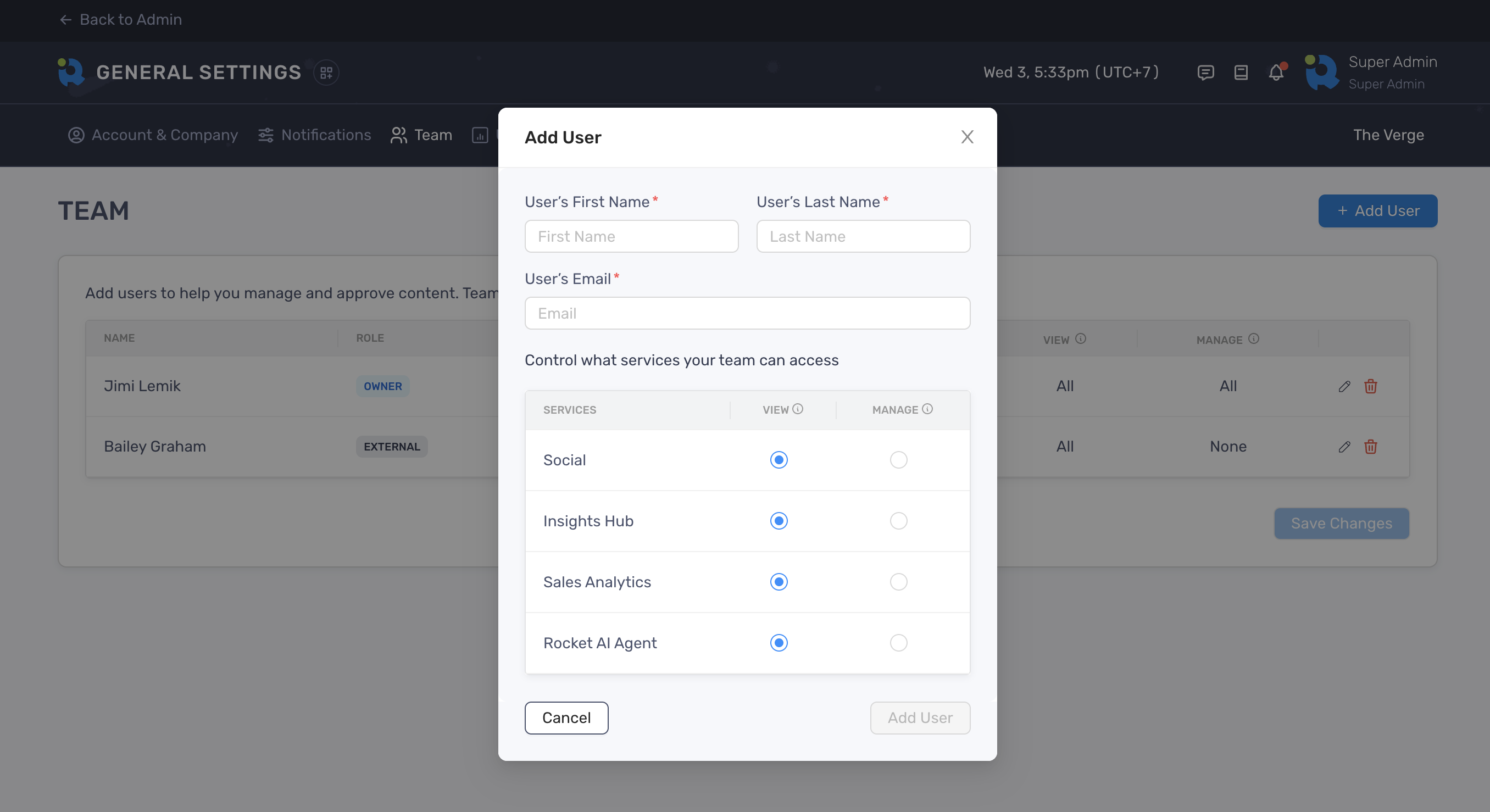
- Select the default permissions you wish to grant to the user. You can also change this later.
- Click “Add User” to finish
The new member will receive an invitation email in which they can click to get access to your RocketLevel’s account.