Writing With AI
AI is now available for all plans to help users with creating social content more easily. However, feature limit varies by plan. Ensure the Social service is enabled.
Access the feature
Section titled “Access the feature”To write with AI
Section titled “To write with AI”- Navigate to the top menu and click Social > Content
- Click the “Write With AI” button on the page
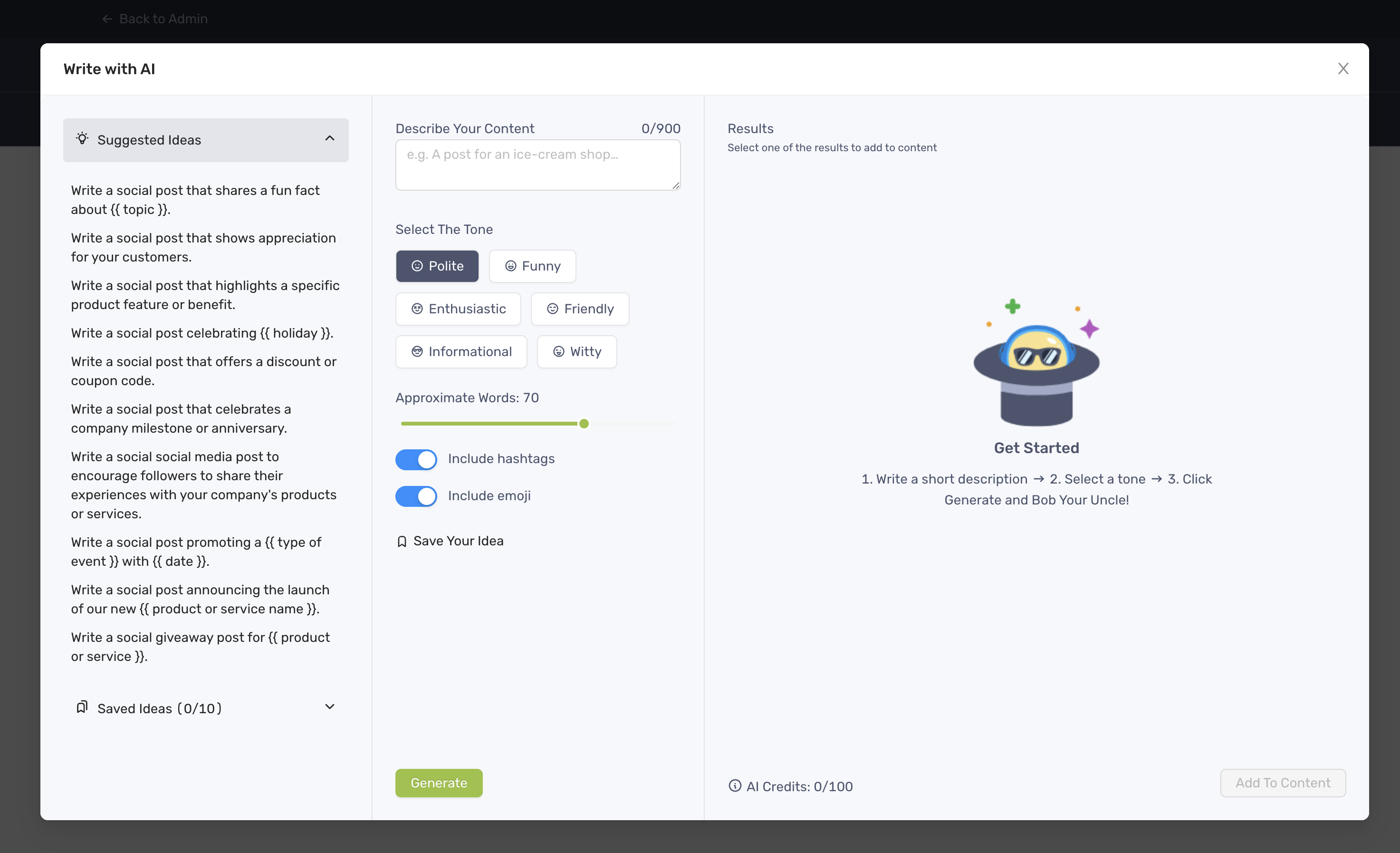
- On the Write With AI modal, you can:
- Enter your prompt on Describe Your Content field or select one from the Suggest Ideas
- Select a tone of voice of your choice
- Adjust the length of generated content, maximum 100 words
- Include or exclude hashtags and emojis in generated content
- Click “Generate” and 3 options will be presented
- Select one of the options and click “Add to Content” to finish
To complete content with AI
Section titled “To complete content with AI”- On the Content or Calendar page, click to open the Create Content modal
- Write your caption
- Click “Write With AI” then select “Complete Content”
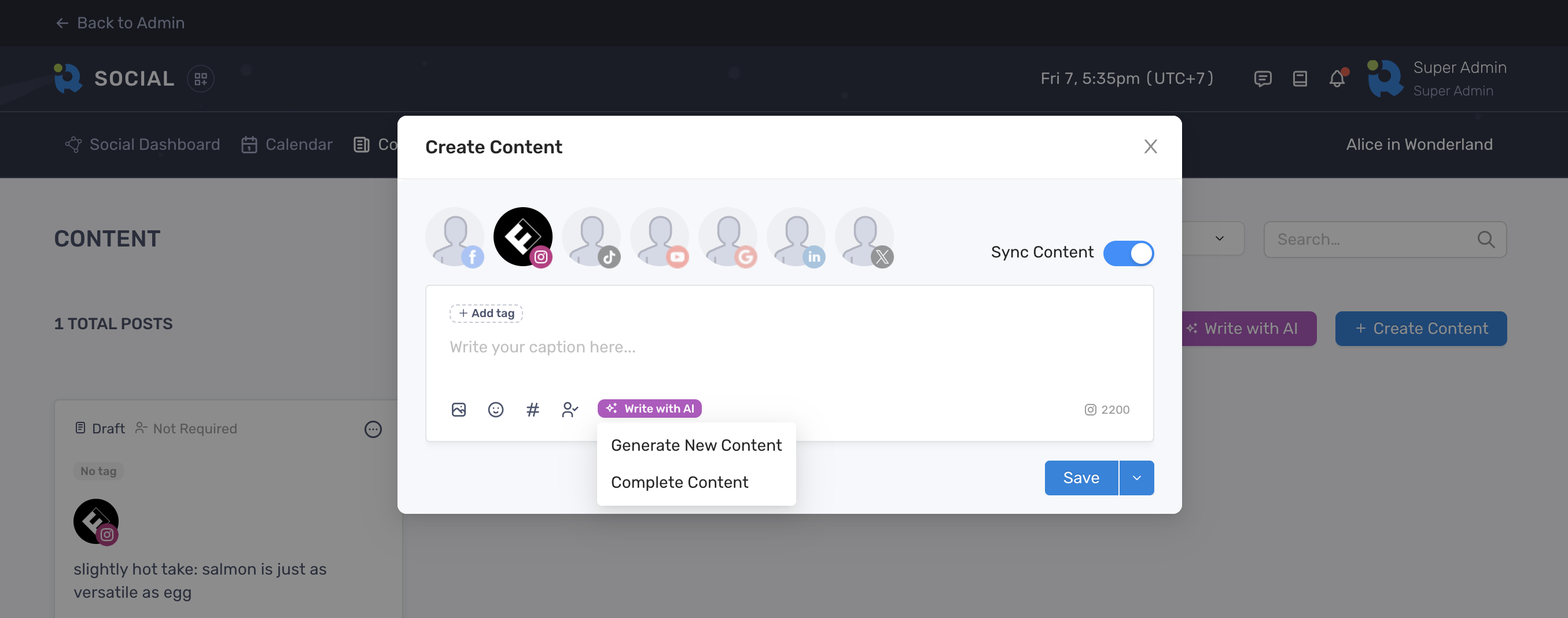
- The new content will be displayed along side with yours
AI Credits
Section titled “AI Credits”Each click to generate new content or complete content is counted as 1 credit. The number of credits vary by plans as follow:
- Free Trial: 30 credits for 14 days
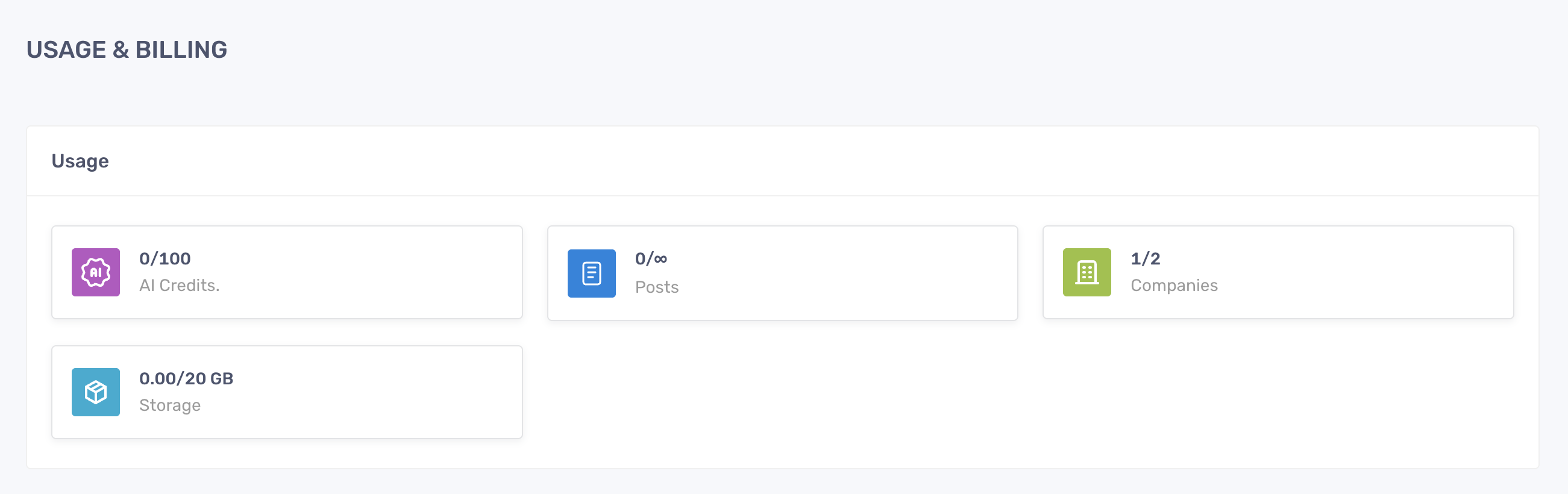
- Premium and Free Plan: 100 credits every month. The usage will be reset in the next billing cycle. You can view the real-time usage of AI credits on the Usage & Billing page