

Unsuspending The Service
Unsuspend the service
Section titled “Unsuspend the service”At one point, you will see the error in-app or email notification about a client being suspended as below:
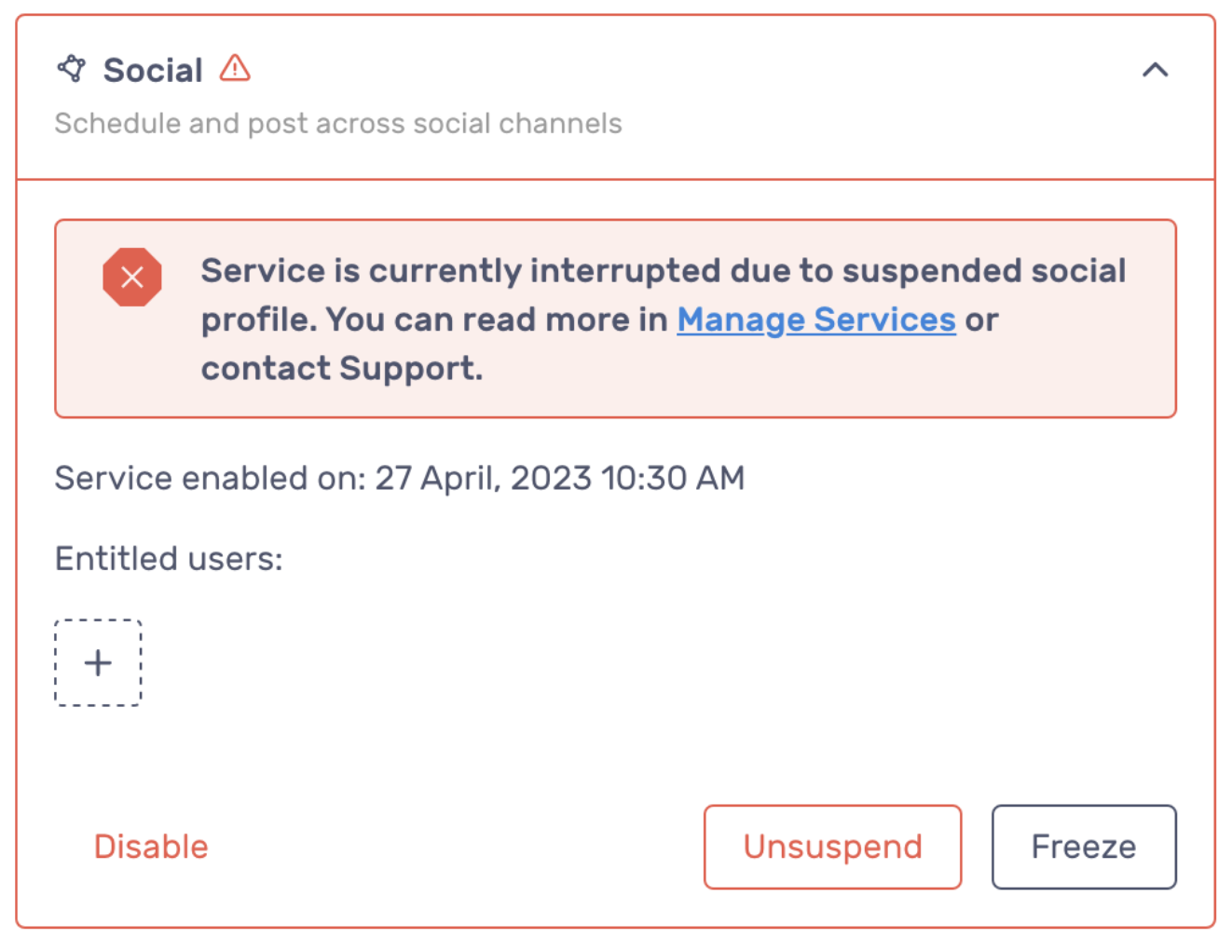
No worries, you can click “Unsuspend” button to resolve the issue. However, after the unsuspension, you still need to relink client’s social accounts to RocketLevel app.
Why it happens and how to prevent
Section titled “Why it happens and how to prevent”The reasons are often unknown, but can occur when the user changes their password at Facebook, posts a message manually to their feed or Facebook Messenger, or the security AI sees suspicious activity on the Facebook account. Sometimes posts are flagged by Facebook even when the post is seemingly innocuous, but the security AI sees the post as spam or other users have flagged similar post. You can read more about Facebook’s Blocking Guide
Steps that we recommend:
- Review your recent posts to ensure they aren’t spammy, political, repetitive, or posted too frequently.
- Double-check any URLs you’ve included, as Facebook often flags posts with suspicious links. For example, if you are using your own link shortener that might cause issues.
- Don’t include HTML in the post.
- Check your server logs for any error messages returned from /post.
- Have the user log into Facebook and check if Facebook asks them to take any actions or provide more information.
- If everything looks ok, you can go to Integrations > Services and click Unsuspend button to re-activate the service.
- After the unsuspension, you still need to relink client’s social accounts to RocketLevel app.