

Scheduling or Publising A Post
Ensure the social accounts are connected before proceed.
Schedule or publish a post
Section titled “Schedule or publish a post”- Go to the Social page and select Calendar on the top menu
- Click “Create Content”
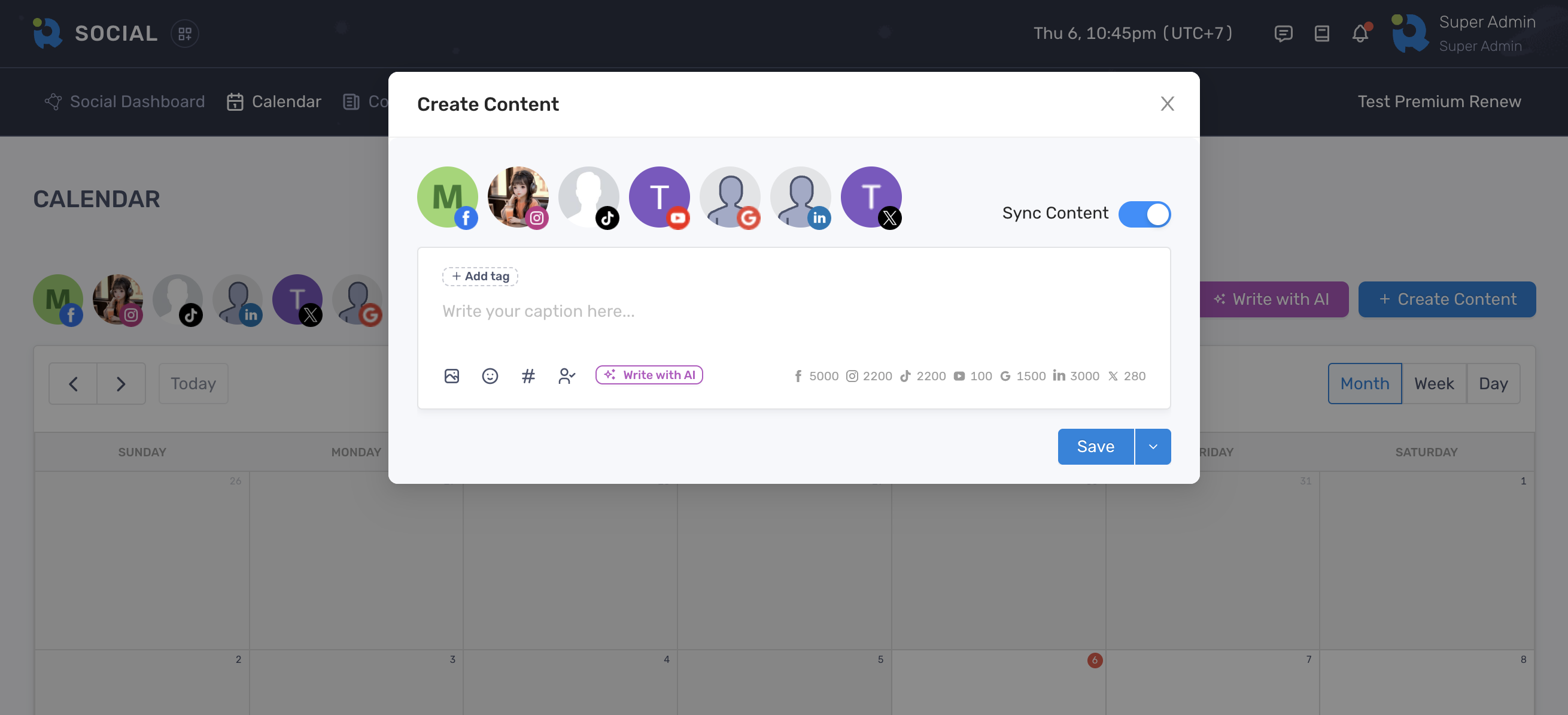
- Add your content, hashtags and tags
- Click the Media icon to add image or video to the post
- Select either Schedule or Publish from the Save group button
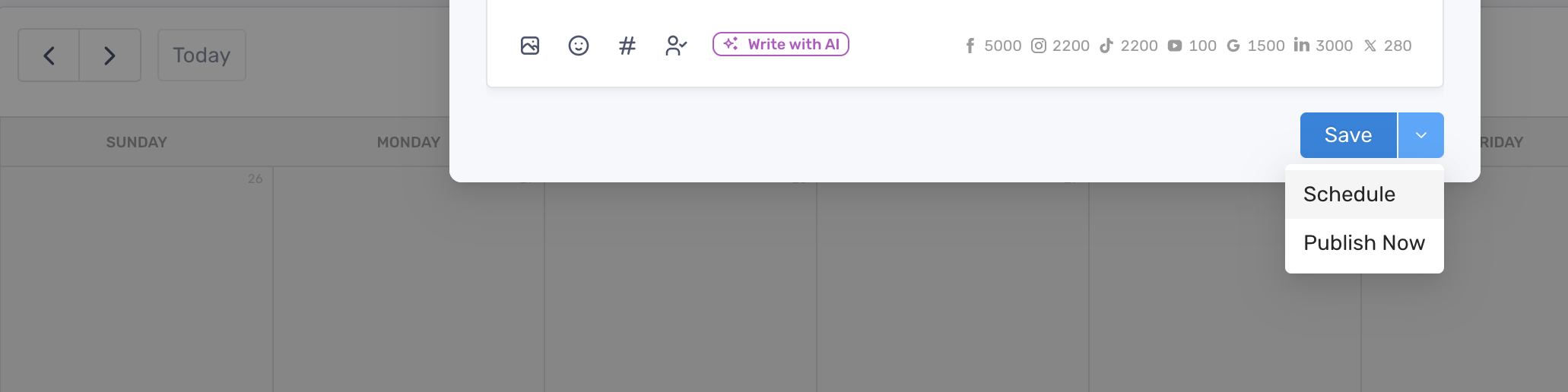
- Click “Schedule” or “Publish Now” to finish
Customize content for each network
Section titled “Customize content for each network”If you want to create different versions of content for every network, turn off the Sync Content toggle.
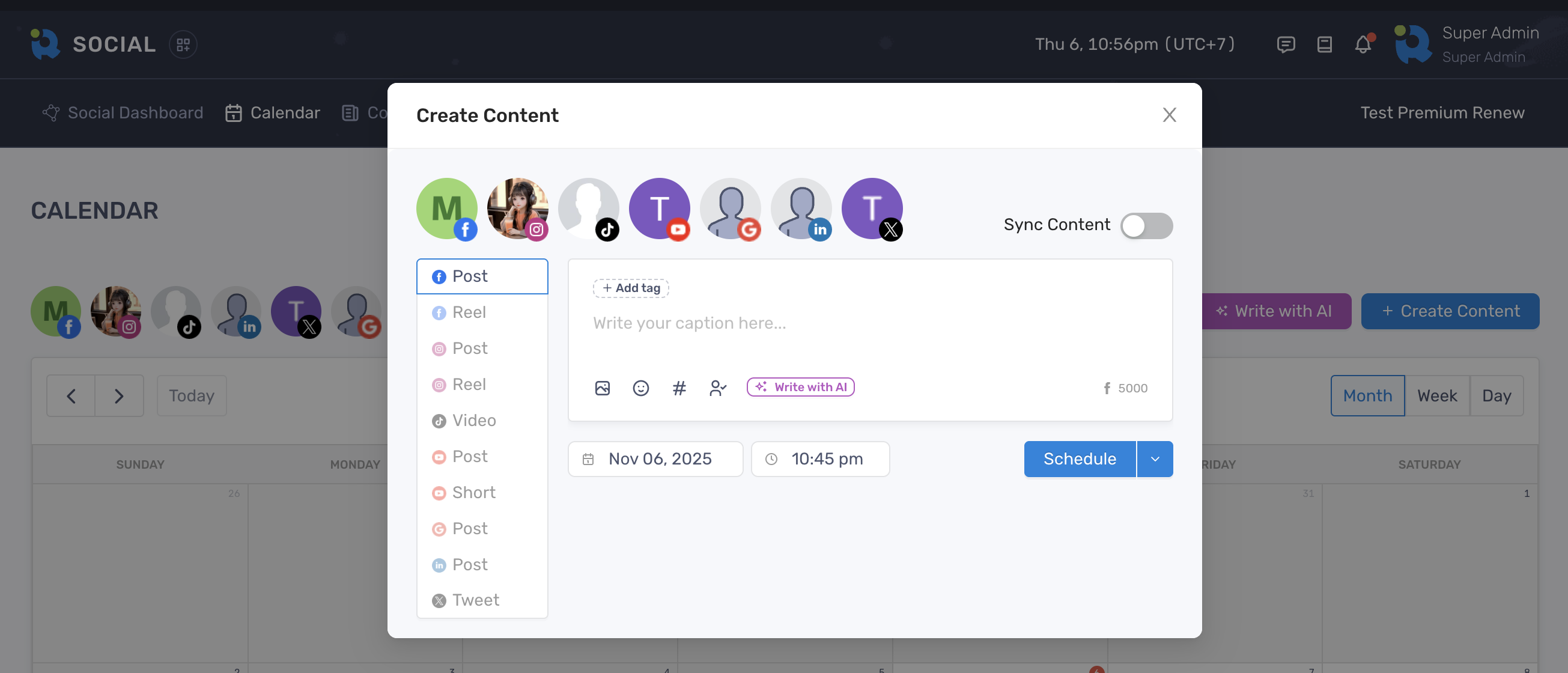
Then select a network on the left sidebar to start adding your content. However, if you turn the Sync Content back on, content on other tabs might be lost.