

Bulk Edit Notifcations
Admin users are able to enable or disable email notifications for multiple clients simultaneously.
To edit notifications in bulk:
- Log in to Admin Portal
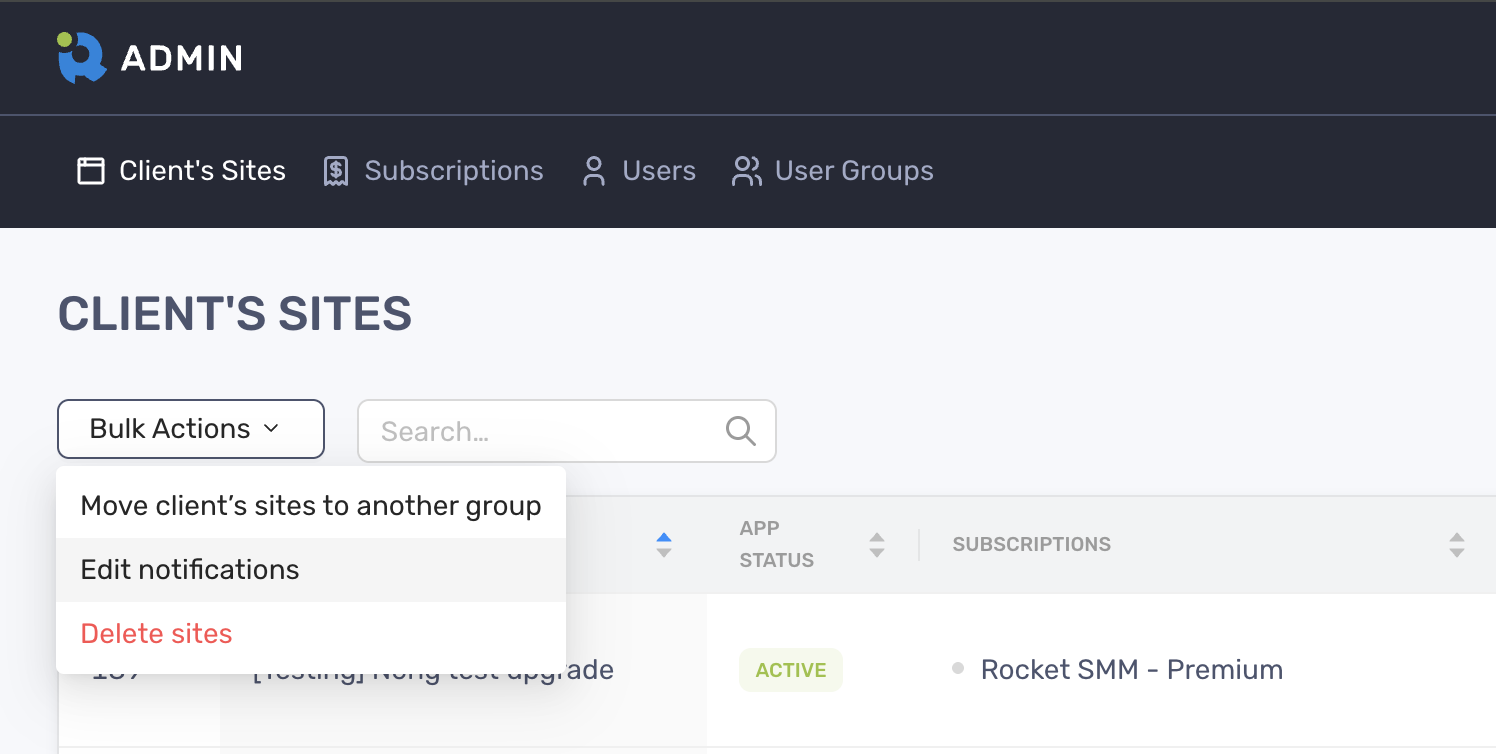
- Select Bulk Actions > Edit Notifications
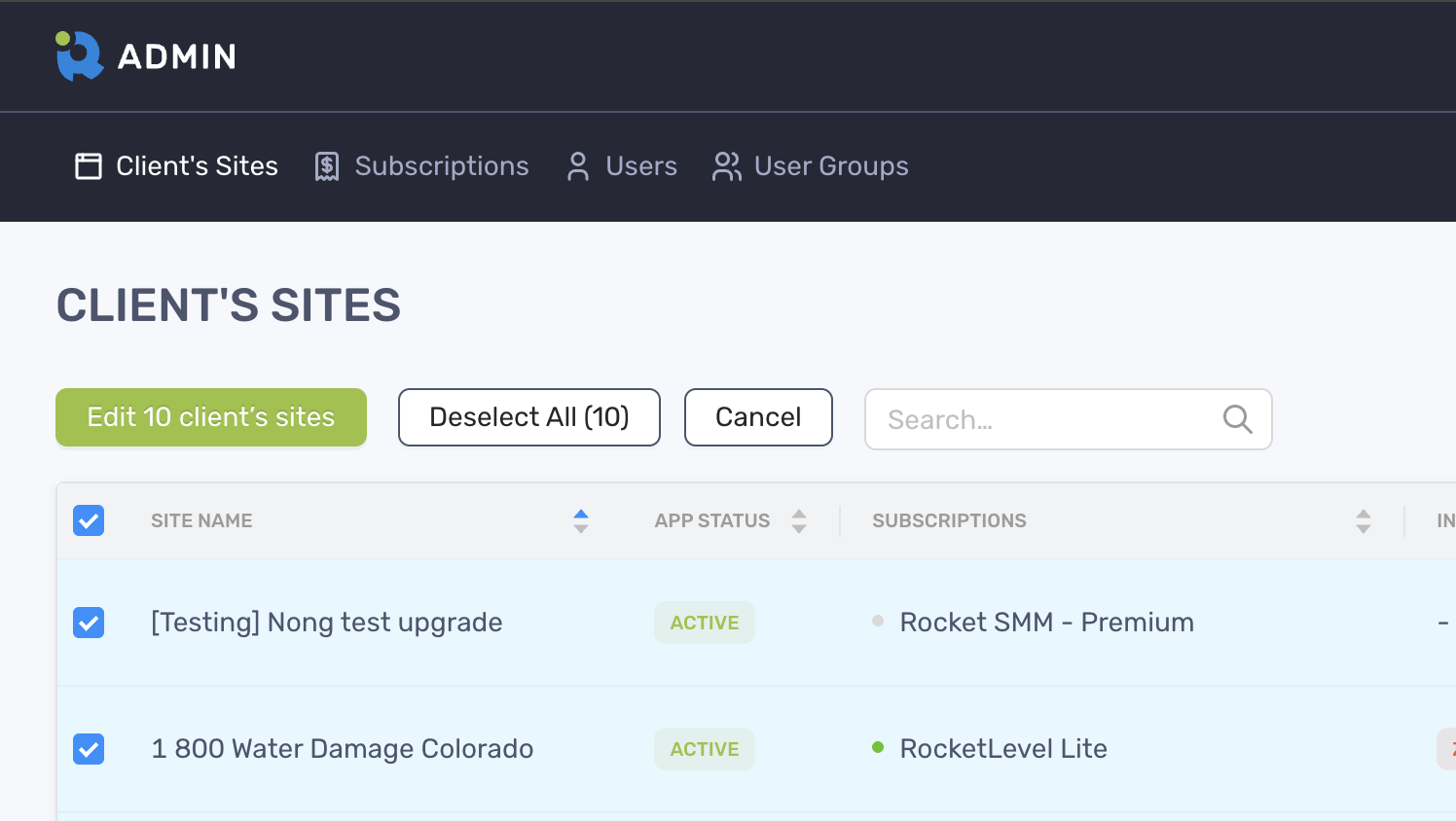
- Select the clients and click “Edit client’s sites”
- Adjust the toggles on the pop-up modal and click “Done” to finish