

Linking AI Agent & Meter
How Usage is Tracked
Section titled “How Usage is Tracked”RocketLevel app will track the call minutes and send them to Stripe via meter. The meter can be found on the price detail page.
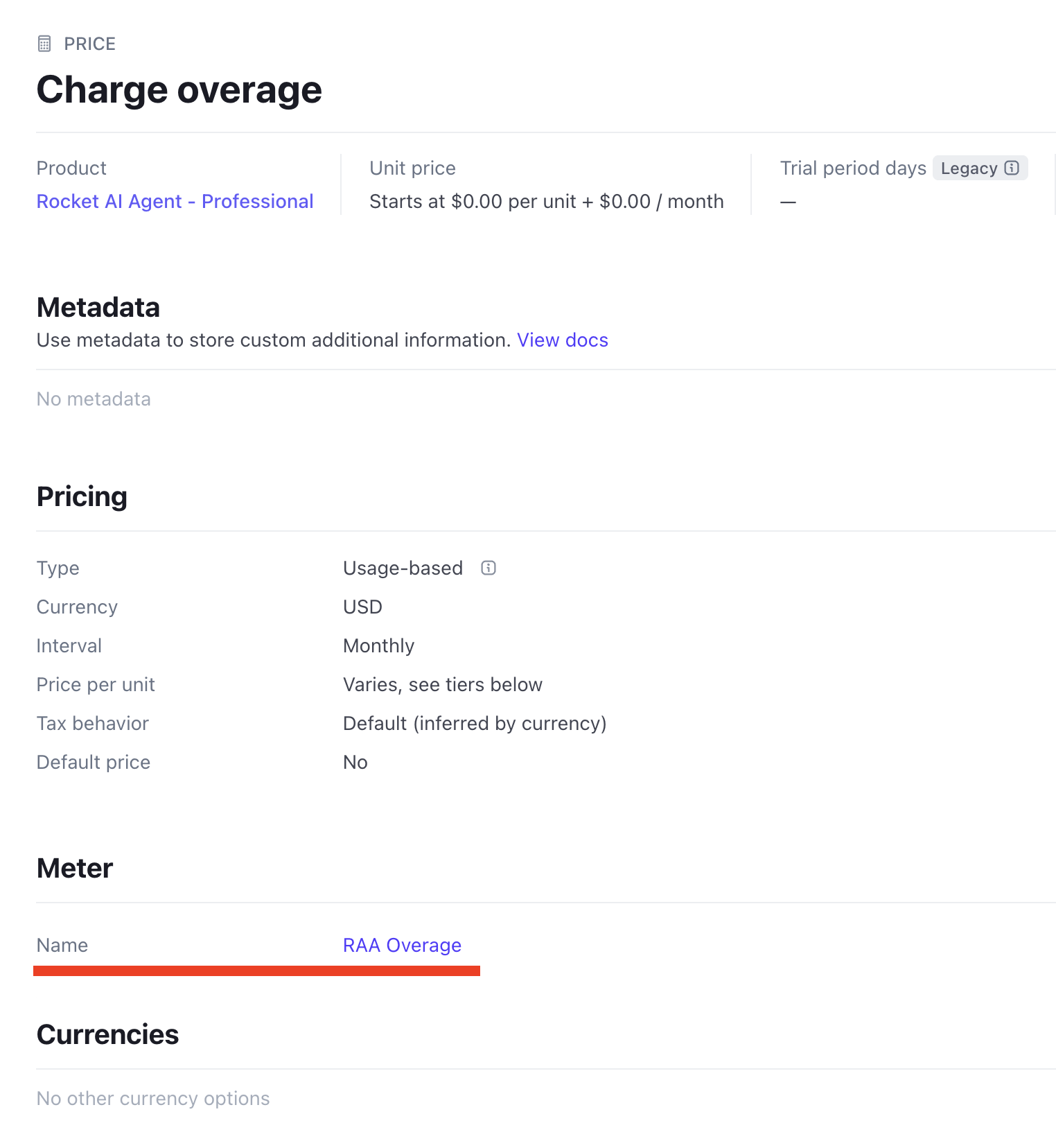
The flow is simplified as below:
AI Agent makes or receives calls -> RocketLevel records the minutes -> Total minutes sent to Stripe meter -> Invoice finalised using the meter data
How to map the AI agent and the Meter
Section titled “How to map the AI agent and the Meter”Once you create the subscription in here, RL app will synce the info and create the client in the Admin portal.
Step 1:
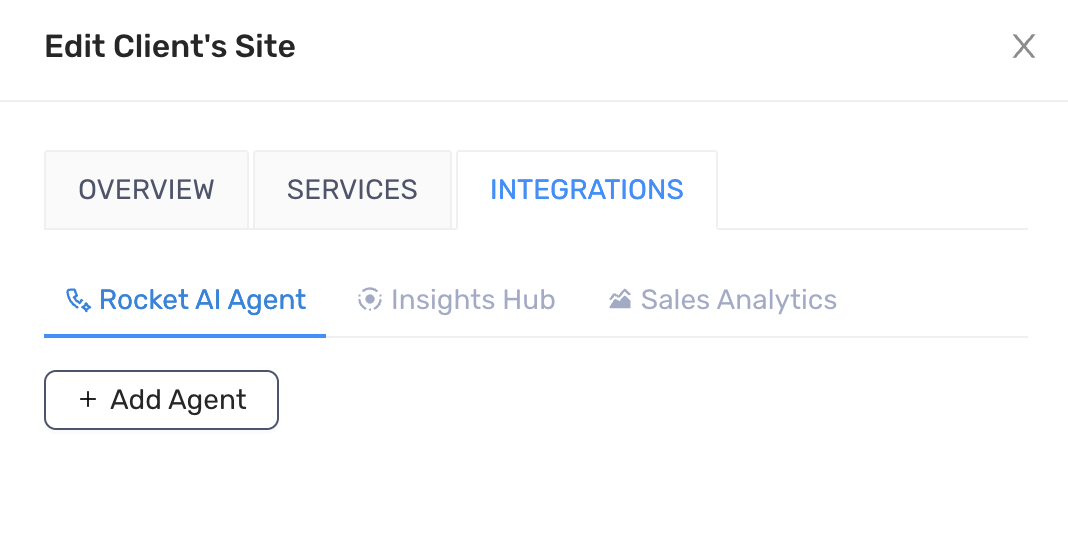
Section titled “Step 1:”Edit the client. Go to the Rocket AI Agent tab on the Integrations tab.
Step 2:
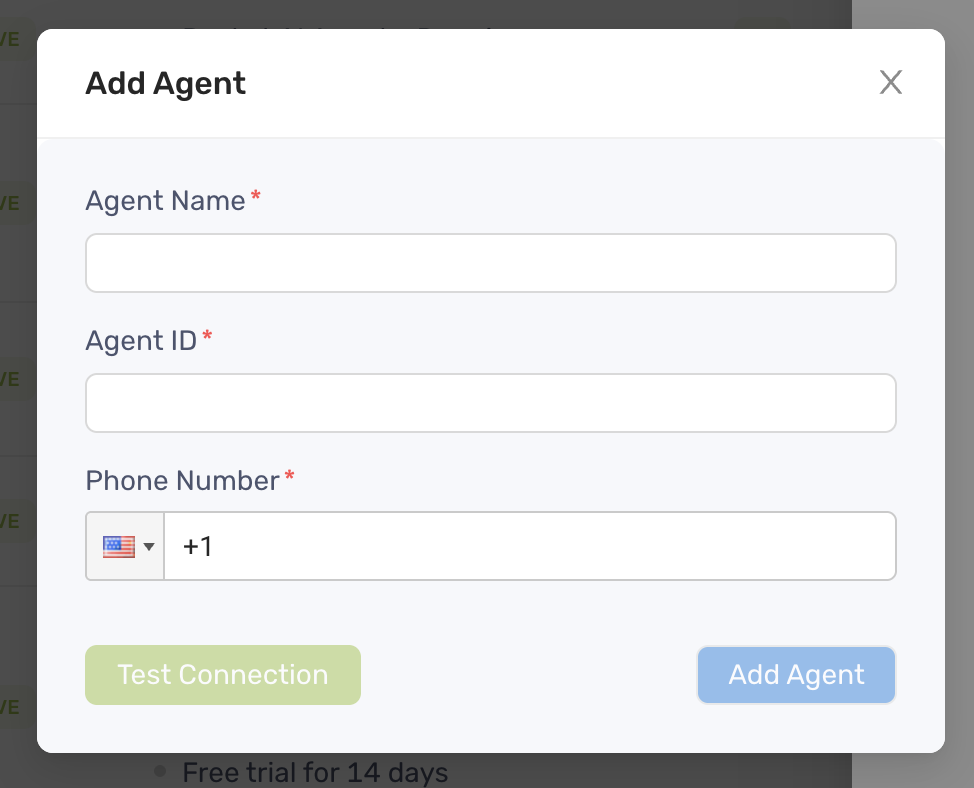
Section titled “Step 2:”Click Add Agent and fill all the required fields. Click Add Agent button to finish.
Step 3:
Section titled “Step 3:”Click Add Agent and fill all the required fields
Step 4:
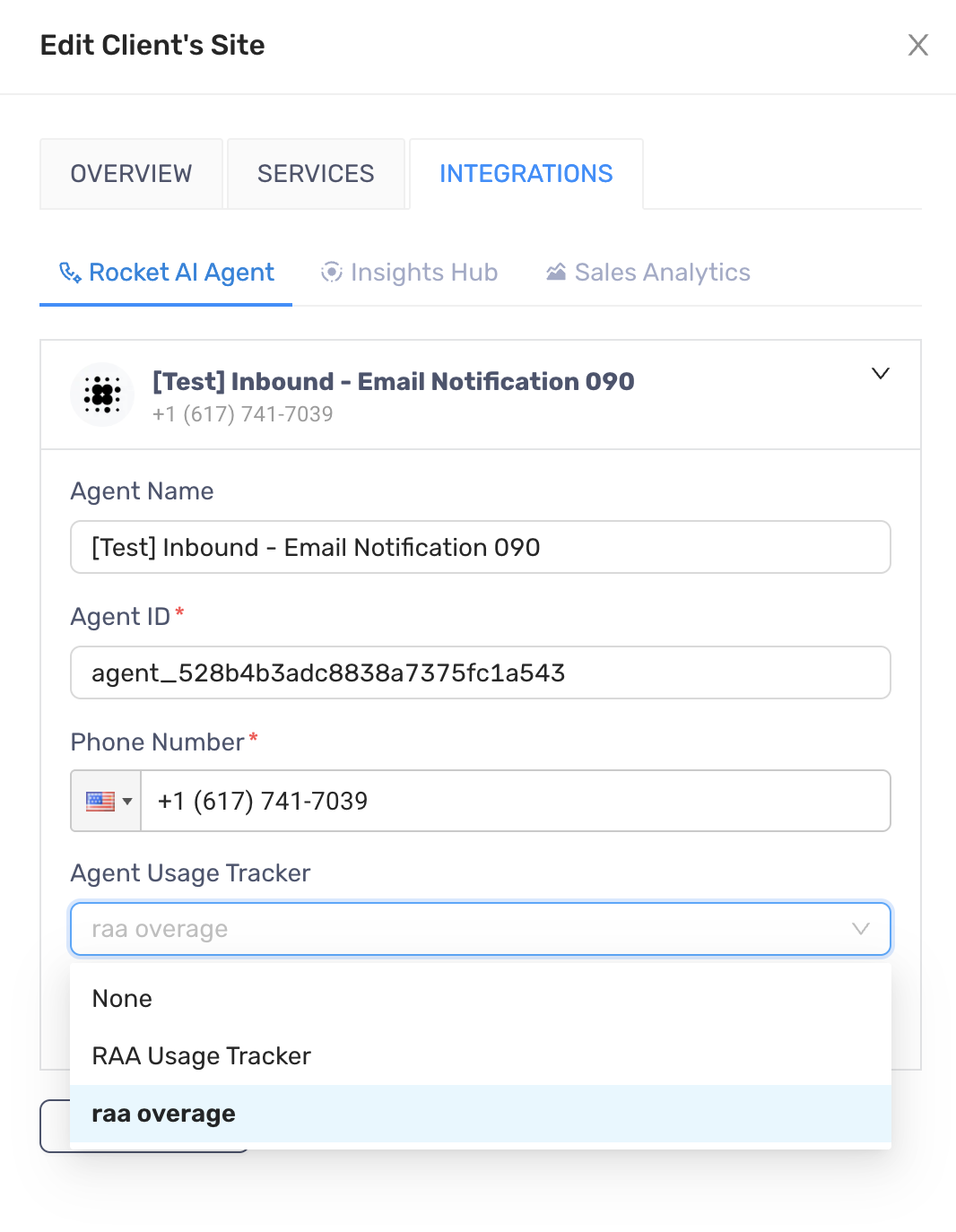
Section titled “Step 4:”Once the agent is added, select the meter on the Agent Usage Tracker field
Step 5:
Section titled “Step 5:”Click Save and the agent is officially linked to the client and the meter. Any past calls before the moment of adding meter will not be recorded